IT Equipment Moving Guide: Safe Office Relocation Tips – Moving an office is a huge undertaking, especially when sensitive technology and digital infrastructure are involved. An office move that is meticulously planned can drastically cut downtime, safeguard expensive assets, and keep your business running smoothly. This guide to moving office IT equipment safely provides practical office relocation tips and aims to assist companies in preparing, packing, moving, and reinstalling IT equipment most effectively. Every piece of equipment must be handled carefully, including servers, PCs, networking equipment, and printers, to prevent expensive disruptions.
Why Proper IT Equipment Relocation Matters
IT equipment is one of the highest-value investments in any modern workplace. Moving a workplace can result in device damage, hardware failures, data loss, network breakdowns, and unnecessary downtime if not handled correctly. Computers, servers, and communication systems supporting the businesses heavily rely on computers, servers, and communication systems; so, a secure relocation is a must. A professionally executed office relocation plan ensures:
- Reduced business downtime
- Enhanced safeguarding of high-priced devices
- Efficient organization of the new office establishment
- Less chance of data loss
- Higher employee productivity post-move
“The level of success of an office relocation is mainly determined by how well your IT infrastructure is planned, packed, and reinstalled.”
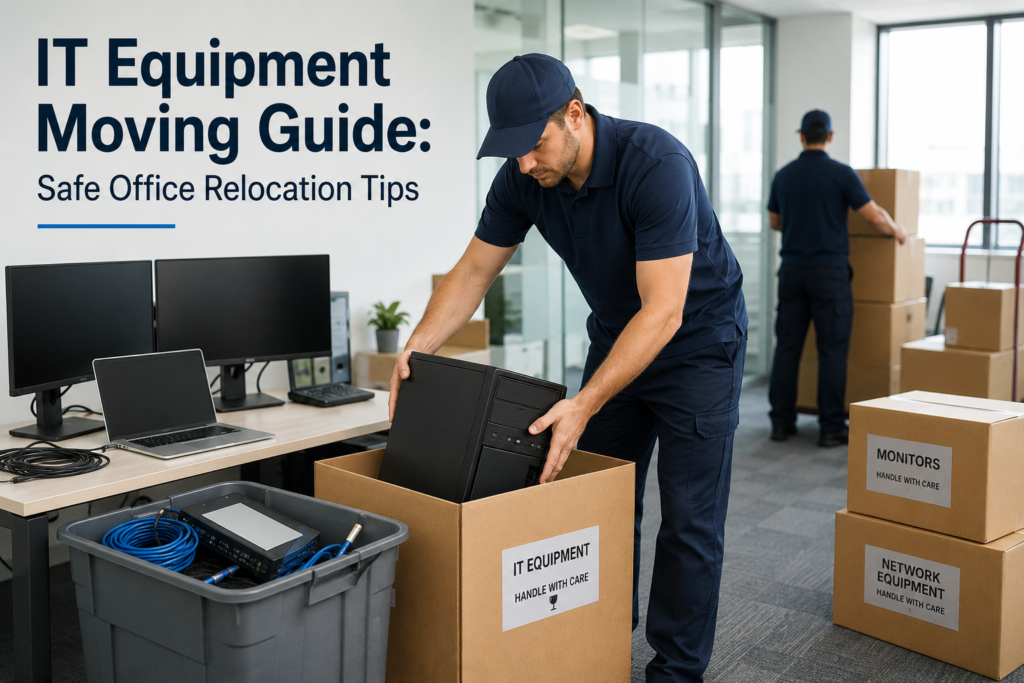
Create a Detailed IT Relocation Plan
Developing a complete relocation plan is the very first step for a successful office move. Begin planning your move at least 2-3 months before the actual moving date to avoid last-minute complications.
Important Planning Steps
- Complete an IT inventory
- Delegate roles to the IT team
- Decide the move timeline
- Arrange internet and network installation
- Make a backup and recovery plan
- Update employees about the moving process
Checklists help businesses stay organized during relocation.
Perform a Full IT Equipment Audit
Before disconnecting anything, perform a complete audit of all IT assets. Record the condition, serial numbers, and destination locations of each device.
Equipment to Include in the Audit
- Desktop computers
- Laptops
- Servers
- Routers and switches
- Monitors
- Printers and scanners
- VoIP phones
- External hard drives
- Power cords and adapters
This inventory helps you avoid losing equipment and makes unpacking and setting up easier.
Backup All Critical Business Data
Backing up data is one of the most important steps when moving an office. In case of an accident or other technical problems during transportation, data can be lost.
Suggested backup methods
- Cloud backup solutions
- External hard drives
- Network-attached storage (NAS)
- Full system image backups
Before the moving day, test your backups to verify that the files can be restored successfully, if necessary.
Label Everything Clearly
Accurate labeling saves time and prevents confusion during unpacking.
Effective Labeling Tips
- Label cables on both ends
- Use color-coded tags for departments
- Mark fragile equipment clearly
- Assign workstation numbers
- Use inventory tracking sheets
Careful organization and labeling help IT teams get systems running in the new office without delay.
Use the Right Packing Materials
IT equipment includes sensitive devices that call for specific packing materials to ensure their safety during the move.
Critical Packing Supplies
- Anti-static bubble wrap
- Foam sheets
- Heavy-duty cardboard boxes
- Cable ties
- Server crates with shockproof protection
If possible, keep the original packaging of the monitors, servers, and other electronic devices.
Safely Disconnect and Pack Equipment
Correctly powering down and unplugging devices reduces the chances of hardware damage.
Follow These Guidelines When Unplugging Equipment
- Turn off the devices using the correct procedure
- Unplug all the cords with care
- Take photos of cable connections
- Pack accessories separately
- Secure any removable parts
The only people allowed to work on servers and IT hardware are qualified and trained IT personnel.
Reduce your Business Downtime
Office relocation downtime can disrupt customer support and employee productivity. For this reason, companies should aim to make the transition with the least interruption possible.
How to Decrease Downtime
- Schedule a move on a weekend/holiday
- Give priority to major systems
- Set up the internet before moving day
- Check the systems after installation
- Resort to temporary cloud operations if needed
For a large company, a relocation strategy where only certain parts of the company are moved at a time may be the only way the company’s operations can continue without disruption.
Plan for the New Office
Make sure the new office is ready to accommodate IT equipment before the move.
Main Focus Areas
- Internet access
- Electrical outlets and power supply
- Cooling and ventilation systems
- Server room setup
- Network cabling and Wi-Fi coverage
Pre-testing of the infrastructure helps to prevent installation issues.
Hire Professional Office Removalists
Movers who handle IT relocation projects regularly will know how to transport sensitive technology safely. They use specialized equipment, protective materials, and proper handling methods.
Reasons for Using the Services of a Professional
- Minimized risk of equipment damage
- Quicker setup and installation
- Safe transportation
- Professional packing materials and solutions
- Higher level of organization during relocation
Additionally, professional office moving companies assist businesses in continuing their operations during the entire move.
Check All Systems Post-Move
After the relocation, check all devices and IT systems to ensure they function properly before employees start working.
Post-Move IT Checklist
- Confirm internet connection
- Make sure that servers and cloud access are working
- Test printers and phones
- Inspect monitors and computers
- Ensure backup systems are running smoothly
Dealing with problems right away helps to avoid long-term disruptions.
Typical IT Relocation Mistakes
Businesses relocating offices can encounter problems that are totally avoidable if they think ahead.
Common Problems Caused by Mistakes Include
- Not planning enough in advance
- Not backing up data
- Badly labeled cables
- Using poor-quality packing materials
- Ignoring the specifications for the server room
- Not testing the equipment after moving
One of the best ways to ensure a smooth and hassle-free office move is by avoiding these mistakes.
Conclusion
Relocating an office successfully means you need to plan every detail, pack appropriately, and use professionals for handling IT equipment. By implementing these safe office relocation tips, companies can minimize operational downtime, safeguard the assets that are of the highest value, and thereby guarantee a seamless transition to the new working environment.
For dependable and stress-free office relocation services, Robin Removalist brings professional moving solutions that are customized to the needs of the business. Their skilled team assists in making sure that office IT equipment and furniture are safely transported and efficiently set up.
FAQs
Why is IT equipment relocation challenging?
IT equipment is highly delicate, quite expensive, and essential for daily business operations every day. If you don’t handle it properly, you might end up with a broken device, lost data, and operational downtime.
How early do companies need to plan the move of office IT?
It is recommended that companies start planning at least 2-3 months before the relocation date so that there is better coordination and minimal disruption.
What is the most secure method to pack computer equipment?
Wrapping devices with anti-static bubble wrap, foam padding, putting them in good-quality boxes, and accurately labeling are the top protective steps for equipment during transit.
What steps could companies take to minimize downtime when relocating their office?
Moving on weekends, having the new office ready well in advance, and prioritizing critical system reconnections are some of the ways highly suggested by experts.
Should companies hire experienced IT movers?
Yes. Professional office movers have the expertise and equipment required to safely handle servers, computers, and networking devices.